Two Ways to Keep It on Your Phone
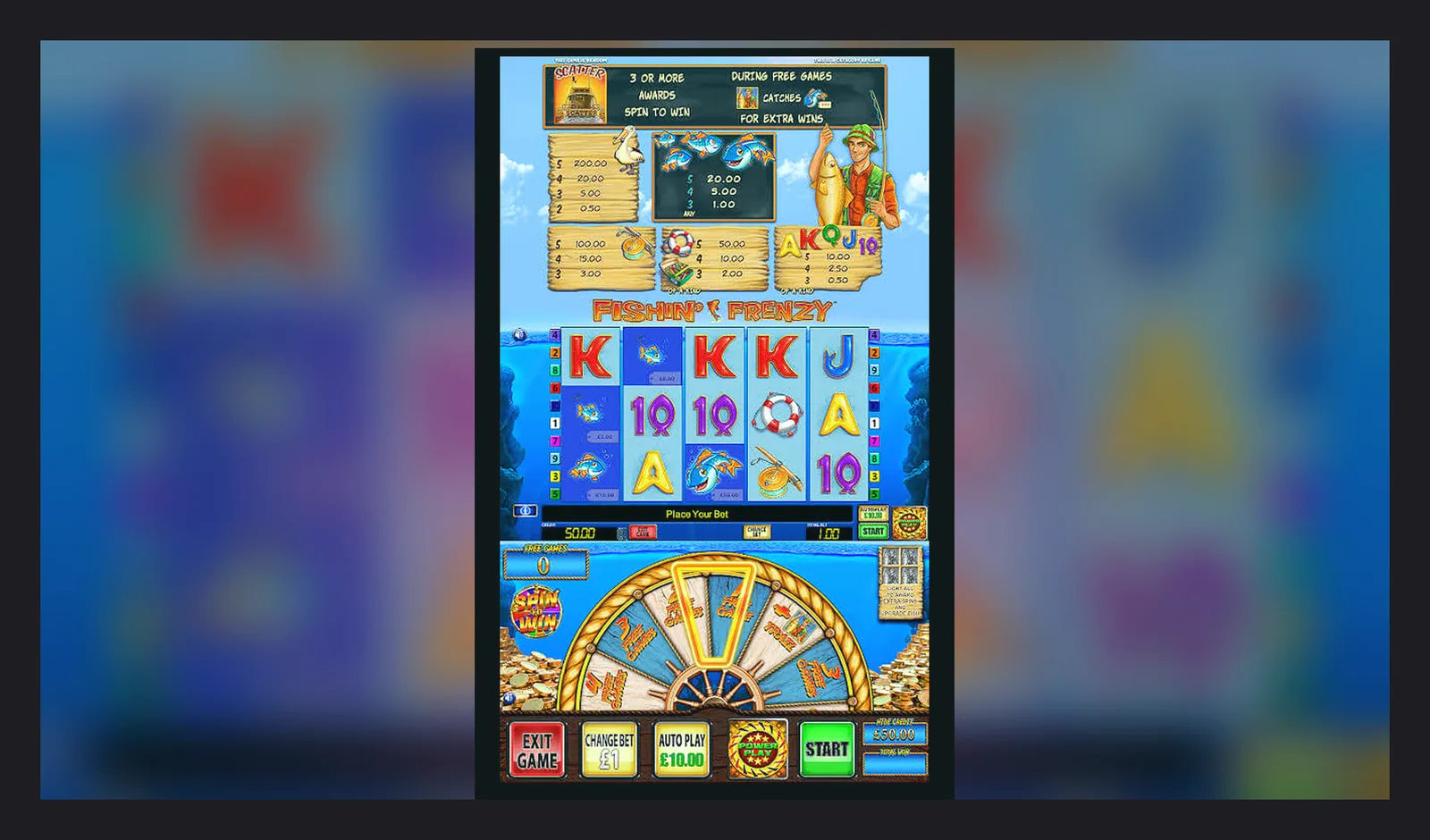
You can play Fishin' Frenzy in a mobile browser — Safari, Chrome, Edge — or through an operator's native app from the App Store or Google Play. The browser route takes ten seconds: tap the address bar, type the site name, log in, done. The app route takes three to four minutes: download, install, age verification, then the same login. Both reach the same game, same RTP, same £5 stake cap if you're over 25 or £2 if you're 18–24.
The question is whether you want a home-screen icon that opens straight to the lobby, push notifications for bonus offers, and biometric login — or whether you'd rather keep your phone storage free and avoid handing over notification permissions. This page walks through both paths, the first ten minutes of each, what changes after a week, and how to spot the fake clones that scrape branding and ask for permissions no slot ever needs.
What the Store Listing Actually Tells You
Operator apps sit in the casino or card-game category on both stores. The listings look like any other app card, but the details reveal which company holds the UKGC licence, when the app was last updated, and what permissions it requests. A typical entry for a UK operator hosting Fishin' Frenzy:
The developer field should match the company name on the UKGC public register, and the licence number must appear in the app's settings or footer once installed. If the developer name is generic — «Slot Games Studio» or «Frenzy Apps» — it's not an official operator; it's either a clone aggregator or a demo wrapper that doesn't offer real-money play.
Screenshots in the listing usually show the lobby, a sample spin on a popular slot, the cashier screen, and responsible-gambling tools like deposit limits and session timers. If the screenshots only show cartoon fish and oversized win counters without any mention of age verification or GAMSTOP, treat it as a red flag.
Four Install Paths, Step by Step
The safest route is the official app from a UKGC-licensed operator, downloaded through the App Store or Google Play. The second-safest is adding the mobile site to your home screen as a web app. The riskiest is downloading an APK from a third-party site, which bypasses store vetting and can bundle malware or card skimmers. Here's each path in order of decreasing safety:
- Browser route: Open Safari or Chrome, navigate to the operator's site, log in or register. Tap the share icon (iOS) or menu dots (Android), select «Add to Home Screen», name the shortcut. The icon appears on your home screen; tapping it opens the site in a dedicated browser window without address bar clutter. No download, no permissions, no storage cost. Risk: zero, because you never leave the browser sandbox.
- Operator app from the App Store: Search for the operator by name, verify the developer matches the UKGC register, tap «Get», authenticate with Face ID or passcode. The app downloads and installs automatically. Open it, accept the terms, verify your age with ID upload or credit-reference check, set your deposit limit (mandatory during sign-up), log in. Risk: low, provided the operator holds a current UKGC remote licence and the app is from the official store.
- Operator app from Google Play: Same process as iOS, but Android flags gambling apps with an age gate at download. The app requests notification and location permissions during first launch; you can deny both and still play. Risk: low, same proviso about the licence.
- APK sideload: Download the APK file from the operator's site or a mirror, enable «Install unknown apps» in Android settings, open the file, confirm the install. The app bypasses Play Protect scanning, and you won't receive automatic updates. Risk: high. Only consider this if the operator provides a signed APK on their own domain and you verify the signature hash. Any APK from a forum, Telegram group, or file-sharing site is a malware risk.
The First Ten Minutes, First Hour, First Week
First ten minutes: You've installed the app or added the site to your home screen. You open it, see the lobby, and tap Fishin' Frenzy. The game loads in two to five seconds on 4G or Wi-Fi. You set a £0.10 stake — the minimum — and spin. The reels turn, you land a couple of small fish, maybe trigger the free-spins picker if you're lucky. The interface is identical to the desktop version: same buttons, same paytable, same autoplay options. The only difference is screen size; you might prefer portrait mode for the taller reel area or landscape for the wider view of the pond background.
First hour: You've played twenty or thirty spins, maybe hit a decent line of fish or blanked on three free-spins rounds. The app hasn't crashed, but you've noticed it drains battery faster than a video app because the graphics engine runs continuously even when you pause. If you enabled notifications, you've received one push: a reminder to set your weekly deposit limit or a prompt to complete identity verification before your first withdrawal. You ignore it for now.
First week: You've opened the app five or six times, played a few sessions of varying length. You've uploaded a photo of your driving licence or passport to satisfy KYC, and it cleared in 24 hours. You've tried a small withdrawal — £15.00 — to test the process. It took two working days to reach your bank via Faster Payments, which is normal for a first withdrawal. The app now recognises your biometric login, so you skip the password step. You've adjusted the settings to disable sound effects but keep the win jingles. The app has updated once in the background, a minor patch that added a session-timer pop-up every 30 minutes of continuous play, as required by UKGC rules from late 2025.
By the end of the week, the app feels like any other utility on your phone: predictable, functional, slightly mundane. The novelty of spinning on the bus wears off once you realise the maths haven't changed — volatility still means long dry spells — and the small screen makes it harder to track your balance without opening the cashier tab.
What Your Phone Actually Needs
Fishin' Frenzy runs on modest hardware because it's a 2014 slot ported to HTML5. The game doesn't use 3D rendering or real-time physics; it's a 2D sprite engine with pre-rendered animations. Any phone from the past four years will handle it without thermal throttling or frame drops.
- iOS: iPhone 8 or later, running iOS 14.0 or higher. The app works on iPad as well, scaled to fill the larger screen, though most players find the phone form factor more convenient for quick sessions.
- Android: version 7.0 (Nougat, API level 24) or later, with at least 2 GB of RAM. Devices with 1 GB struggle when switching between the game and other apps, causing the session to reload and interrupting autoplay.
- Storage: 60–80 MB for the operator app, or zero if you use the browser route. The app caches game assets locally, so the initial download is larger but subsequent loads are faster.
- Network: 3G is playable but sluggish; 4G or Wi-Fi is the practical minimum. Each spin sends a small bet request and receives a result payload of a few kilobytes. A ten-minute session uses roughly 2–3 MB of data.
- Battery: expect 10–15% drain per hour of active play, more if you enable sound and haptics. The screen stays on continuously, and the graphics loop runs even when you're watching the reels spin.
If your phone is older than 2020, the browser route is often smoother than installing a native app, because the mobile site offloads rendering to the server and sends lighter page updates.
Fake Clones and Permission Red Flags
Unofficial apps that mimic Fishin' Frenzy branding appear in both stores and on APK mirrors. They fall into three categories: demo wrappers that show the game in practice mode with fake currency, affiliate shells that redirect to casino sites, and outright scams that request invasive permissions to harvest data or install adware.
Spotting a clone:
- Developer name: Legitimate apps come from licensed operators — companies you can look up in the UKGC register. A generic developer name like «Fish Slots» or «Frenzy Casino Games» is an instant tell.
- Download count and rating: Real operator apps have tens or hundreds of thousands of downloads and reviews that mention account issues, withdrawal times, and bonus wagering. Clones have a few hundred downloads and five-star reviews in broken English praising «big win» and «easy money».
- Screenshots: Official apps show the cashier, responsible-gambling tools, and age-verification prompts. Clones show only gameplay, often with exaggerated win totals or cartoon overlays that never appear in the real game.
- Update frequency: Legitimate apps update every few weeks to comply with regulation changes or patch bugs. Clones sit unchanged for months, because the developer has no ongoing relationship with the game provider or regulator.
Permission red flags:
- Contacts and SMS: No slot or casino app needs to read your contacts or send text messages. This permission is used to scrape your address book or subscribe you to premium SMS services.
- Camera and microphone: KYC verification uses the camera to photograph your ID, but that's a one-time in-app action, not a persistent background permission. If the app requests always-on camera access, refuse.
- Location: Some operators request coarse location to confirm you're in the UK, but precise GPS is unnecessary. Deny if the app asks for fine location or background tracking.
- Storage: Operators may cache game assets in local storage, which is reasonable. Full storage access — read and write to all files — is not; it's a vector for stealing documents or photos.
- Install other apps: Legitimate apps never request permission to install additional packages. This permission is a hallmark of adware or trojan droppers.
The safest habit: only download apps from operators whose UKGC licence number you've confirmed in the public register, and only through the official App Store or Google Play. Every other route — web search for APKs, forum links, Telegram bots — carries risk that outweighs the minor convenience of a home-screen icon.
FAQ
Do I need the app to play, or does the browser work just as well?
The browser works identically; you reach the same game, same RTP, same stake caps. The app adds biometric login, push notifications, and a home-screen shortcut, but costs 60–80 MB of storage and requests permissions. If you play once a week, the browser is simpler. If you play daily, the app saves a few taps.
Can I download Fishin' Frenzy as a standalone app, separate from a casino?
No. Blueprint Gaming licenses the game to operators; there's no official standalone app from the provider. Any app claiming to be «Fishin' Frenzy: The Game» is either a demo wrapper with fake currency or a clone scraping branding. Real-money play only happens through a UKGC-licensed operator's platform.
What's new in the latest version of the operator apps?
January 2026 updates added mandatory affordability-check prompts for players who net-deposit £150.00 or more in a calendar month, using credit-reference data at the first stage. The app also surfaces session timers every 30 minutes of continuous play and moved the deposit-limit controls to the top of the settings screen, both UKGC requirements from late 2025. The game itself hasn't changed.
Why does my phone ask for so many permissions during install?
Legitimate operator apps request notifications (for bonus alerts), storage (to cache game files), and coarse location (to confirm you're in the UK). Deny anything beyond that. Camera access appears during KYC when you photograph your ID, but it's a one-time action, not a persistent permission. If an app asks for contacts, SMS, or the ability to install other apps, uninstall it immediately; those permissions are not used by real casino platforms.
How do I check if the app is from a properly licensed operator?
Look up the developer name in the UKGC public register at gamblingcommission.gov.uk. Match the company name and licence number to what appears in the app's footer or settings. If the developer name is generic or the licence number is missing, it's either unlicensed or a third-party clone. Only play through operators whose remote licence you can verify; unlicensed sites can't legally serve UK players and aren't covered by dispute-resolution schemes if something goes wrong.